
THE GUIDE
How everything works
I built most of the tools on this server myself. This page walks through all of them: what they do, how you use them and what the limits are. The short command list lives on the Info page.
- Your worlds
- Plot worlds
- Building & schematics
- Terrain tools
- Ranks & playtime
- Chat & getting around
- This website
Your worlds
Everyone builds in worlds of their own. Type /worlds and a menu opens with every world you own.
Left-click a world to go there, right-click it to open its settings, and use the
Create new world button to make another.
Making a world
Type a name in chat, then pick a type:
- Flat – a classic superflat floor.
- Void – nothing at all, for builds that float or for pasting in big schematics.
- Grid – a grey floor split into squares of any size from 4 to 500 blocks, with striped seams and a marked centre, handy for laying out a city or a set of builds.
Settings
Right-click a world in /worlds to change its icon, spawn point and time of day, and to switch
these on or off:
- Physics (falling sand and gravel), fluid spread, block forming (ice, snow, concrete), crop growth and block fading (leaf decay, coral dying). New worlds start with all five off, so blocks stay exactly where you put them.
- Explosions – off unless you turn them on.
- Public – public worlds show up for everyone in
/publicworlds. - Build height (Members and up) – raise a world's build limit up to 2032 blocks for tall mountains. It can only grow, never shrink, so nothing you built gets cut off.
Who can build
Only you, until you /world trust <player> someone (/world untrust takes it back).
Visitors can walk around and use doors and buttons, but they can't place, break or edit anything,
and that includes FAWE.
Private worlds
A world can be made private for work you can't show yet, like a commission under NDA. Only you and the
players you trust can enter it, not even staff, and it never appears on the website map. You can also give it a
password: other players type /world join <world name> and then the password in chat.
Five wrong tries locks them out for five minutes.
How many worlds you get
| Rank | Worlds | Notes |
|---|---|---|
| User | 1 | 4000 × 4000 border, unlocked after 100 hours of playtime |
| Member, Donator, Royalty | 10 | No playtime wait, big borders, tall worlds |
| Staff | No limit |
A world border never cuts through terrain that's already there: if you bring in a bigger world, the border grows to fit it.
Deleting a world
Deleting a world (in /worlds or on your dashboard) moves it to a trash for 14 days before it's
really gone. Changed your mind? Ask staff in Discord and they can bring it back.
Server-wide
The whole server is peaceful creative: no mobs spawn, there's no Nether or End, and dropped items vanish after a few seconds so they don't pile up and lag your world.
Plot worlds
Besides your own worlds there are two shared plot worlds: /501 has 501 × 501 plots and
/251 has 251 × 251 plots, with roads in between. Stand on a free plot and claim it.
/plot claim- Claim the plot you're standing on.
/plot unclaimgives it back. /plot merge- Join it with a neighbouring plot of yours into one bigger area (
/plot unmergesplits it again). /plot trust <player>- Let a friend build on your plot.
/plot home//plot list- Jump back to your plots, or see them all.
/plot visit <player>- Go and look at someone else's plot.
/plot info- Who owns the plot you're on.
You can hold up to 10 plots across both worlds. FAWE and Axiom work inside your own plots only. To keep the shared worlds calm there are no falling blocks, redstone, explosions or fire spread there, and the terrain tools below don't work in plot worlds.
Building tools & schematics
FAWE (FastAsyncWorldEdit) and the Axiom client mod both work anywhere you're allowed to build: your own worlds, worlds you're trusted in and your plots. In other people's worlds they're switched off, so nobody can edit or copy a build that isn't theirs.
Taking a build home
Select it, //copy, then type /download. The build is saved as a .schem file in
the schematic library on your dashboard, where you can download it or spin it around
in a 3D preview right in the browser. Your library holds 25 schematics (64 MB each); ones you
haven't touched for 90 days move to an archive, and you can restore them from there.
Bringing a build in
/upload(or//upload) gives you a link that works once, for 15 minutes. Drop a .schem on that page and it lands straight in your in-game clipboard;//paste -aand it's there. No login needed on that page./schemslists your library in-game and/schems load <number>puts one in your clipboard.
Whole worlds
On your dashboard you can upload a whole world as a .zip, up to 25 GB. A dropped connection doesn't mean starting over: the upload picks up where it stopped. Before it's imported you choose which physics stay on. Going the other way, Prepare download zips any world you own; the download link works for 24 hours.
Terrain tools Members
Members get a set of terrain tools I made for this server. They build real terrain into your world in one go:
floating islands, whole mountain ranges, rivers that find their own way, and palettes to pick your blocks from.
Type /landforms in-game to see them all.
A few things are the same for every tool:
- They work wherever you're allowed to build, except the plot worlds.
- Everything is placed as a normal FAWE edit, so
//undotakes it away again. - One build at a time each. Big ones take a moment; you get a message when it's done.
Flying islands
/skyisland opens a menu where you shape a floating island up to 500 blocks across: its size, how
ragged the coastline is, how hilly the top is, how deep it hangs and what the underside looks like (sharp shards,
boulders or smooth). Each island is one solid piece in a single block of your choice, a clean shape ready for
you to texture. Change the seed for a different island with the same settings.
Heightmaps
/heightmap stamps a mountain, crater, mesa or valley into the ground around you. Pick one from the
library, set how wide it is (up to 1024 blocks) and how tall (up to 200 blocks), and choose how it meets the
ground:
- Raise adds it on top of what's there.
- Replace swaps the ground for the heightmap.
- Carve digs it down into the ground.
The menu also lets you rotate it, fade its edges into the ground, cut off the low parts and fine-tune how steep it gets.
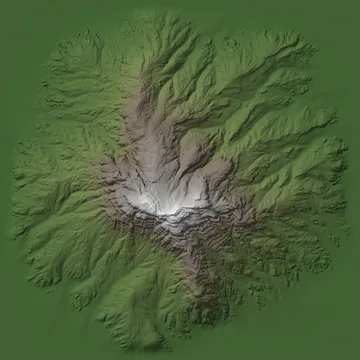
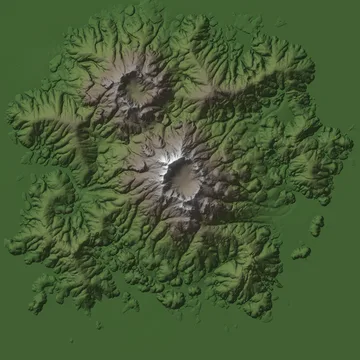
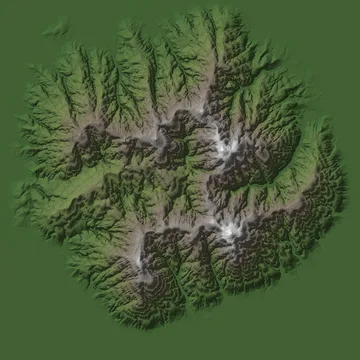
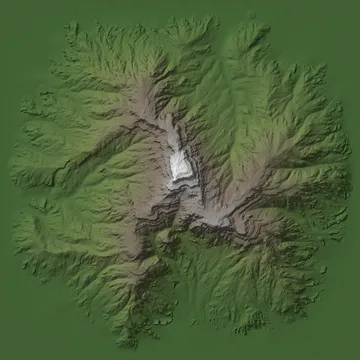
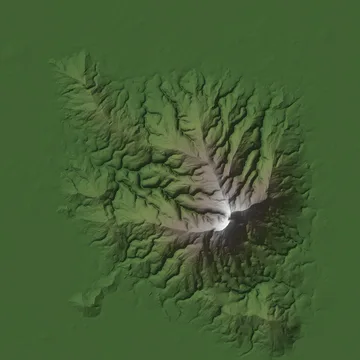
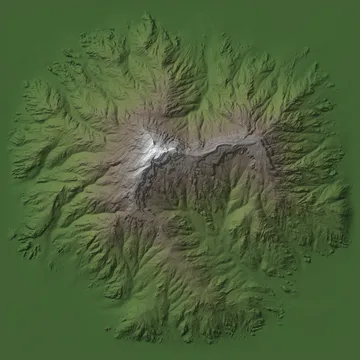
A few of the 15 heightmaps in the library, from the terrain I make for my maps.
Use your own: upload a heightmap (PNG or TIFF; 16-bit gives the smoothest slopes) on your
dashboard and within a minute it's in your /heightmap list
in-game. You can keep 10. Only you can see and use your uploads.
Rivers
/river gives you a river wand. You set out where the river should go, and it works out a natural,
winding course between your points that always flows downhill:
- Right-click the ground to add a point, starting at the source and ending at the mouth.
- Right-click a point to pick it up and drag it; right-click again to put it down. The river redraws as you move it.
- Shift + right-click a point to remove it.
- Left-click for the menu: width, depth, how much it bends, how wide its valley is, and whether old bends cut off into oxbow lakes.
When you build it, the river carves its bed with gravel and sand bars, shapes the banks and clears trees in its way. Where it reaches the sea, it joins it. Rivers can be up to 3000 blocks long.
Palettes
Picking blocks that blend is half of good terrain. Two commands build a palette right under your feet, on black glass so sand and gravel stay put:
/palettebuilds rows of smooth gradients made only from natural blocks, in 19 sets such as stone, mountains, green to dark, desert, mesa, snow, volcano, nether and end./palette listshows the sets;/palette mesabuilds only that one./blockpalettelays out over 800 blocks and their variants (stairs, slabs, walls, fences, glass and more) sorted by colour, so you can see what goes together.
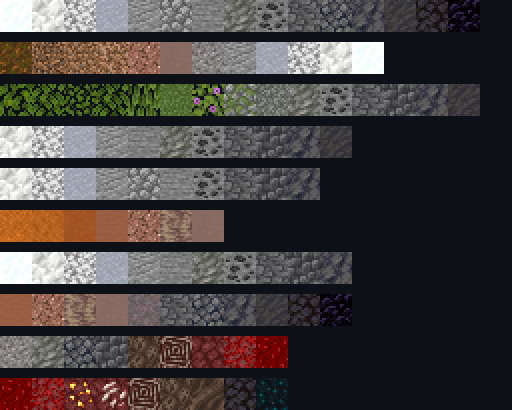
/palette.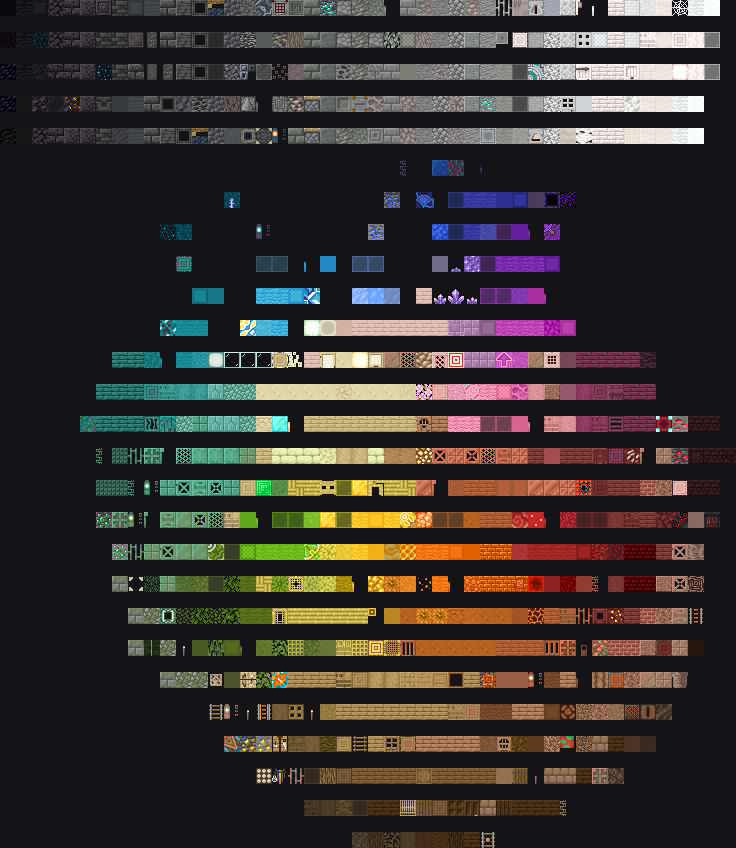
/blockpalette from above: greys from black to white on top, colours in a circle by hue,
light in the middle and dark at the edge. There's a gap between the rows so you can walk up to every block.Ranks & playtime
- User – everyone starts here. You can explore, visit public worlds and build on plots right away; your own world unlocks after 100 hours of playtime.
- Member – apply on this site and I read every application myself. Members get 10 worlds straight away, tall worlds, the terrain tools and heightmap uploads.
- Donator and Royalty – for people who support the server. The same worlds as Members, plus cosmetics.
- Staff – Moderators and Admins keep things running.
Your rank shows as a coloured check mark next to your name in chat and the tab list. /rank shows
your rank, your playtime and what it unlocks. Who holds which rank is on the Community page.
After three minutes without moving you're marked AFK in the tab list, and AFK time doesn't count as playtime. After 45 minutes idle you're disconnected.
Chat & getting around
Chat
/lswitches your chat to only the players in your world,/gto everyone on the server. Put a message after it (/l hello) to send just that one there.- Write 4 or more letters of someone's name and they hear a ping.
/msg <player>for a private message,/rto reply,/ignore <player>to stop seeing someone,/disablechatto hide chat altogether.- Normal swearing is fine. Slurs and sexual words are blocked; after three warnings you're muted for a day.
- Chat is linked to the Discord server both ways.
Getting around
/tpa//tphere <player>- Ask to teleport to someone, or ask them to come to you. They get buttons to accept.
/sethome [name]//home- Save up to 10 homes, in any world, and jump back to them.
/homeslists them. /publicworlds- Browse and visit the worlds other players have made public.
/spawn- Back to the hub.
Handy extras
/nick set <name>- A display name for chat and tab, colours and gradients included.
/nick resetclears it. /gm creative//gm spectator- Switch game mode.
/speed <1-10>- Fly faster.
/scale <0.1-3>- Shrink or grow, to see a build at a different size.
/nv//ptime- Night vision, or your own time of day.
/playerhead <name>- Get a player's head as a block.
/sit- Sit down where you are.
/report <player> <reason>- Tell staff about a problem.
This website
Log in with Discord (here's what that shares), then type /link in-game and enter
the code here to connect your Minecraft account. After that your dashboard shows your
worlds, schematics, heightmaps and stats: blocks placed, number of worlds and how much space they take.
The leaderboard ranks everyone by playtime.
Something unclear or not working the way this page says? Ask in Discord.